How to check reservation sending logs to PMS
Purpose This guidance can be used to find information about reservation payloads sent to the PMS. In addition, if the PMS integration uses the push method, we can also view the response returned by the PMS.
What Can This Be Used For?
- Identify why the reservation failed to be sent
- Check reservation confirmation responses from the PMS
- Verify whether the reservation data sent from the OTA matches the information delivered to the PMS
- Review the reservation delivery timeline to the PMS
To check this information, it can be done in 2 ways:
- Through the UI
- Through the database
A. Checking Logs Through the UI
Below is the link to check this information.
| ENV | URL |
|---|---|
| QA | https://ota.qa.bnlstg.com/utility/ffmonitor/aws_log_tools.php |
| Production | https://ota.bookandlink.com/utility/ffmonitor/aws_log_tools.php |
Before starting this process, make sure you already have the booking ID, which can be obtained from the booking list menu.
- Please open the link above based on your needs.
- Then select PMS Reservation Log.
- Enter the Booking ID.
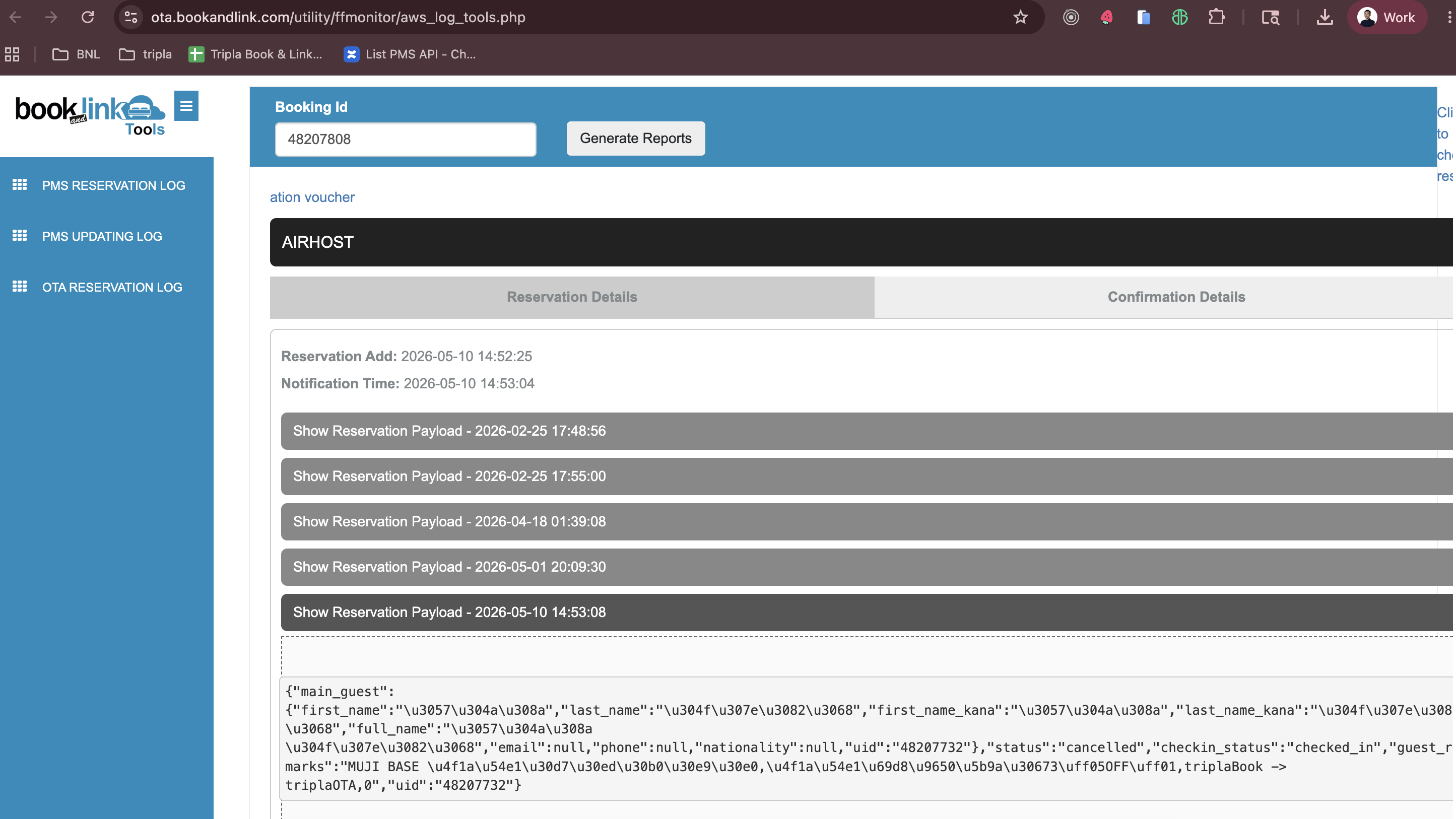
- If the reservation has ever been sent to the PMS, it will appear like this. From there, we can see which PMS the reservation was sent to, review the payload that was sent, and check the timeline of when it was delivered.
B. Checking Logs Through the Database
After understanding that logs can be checked through the UI, why do we still need to check them directly in the database?
Based on the author’s experience, the information displayed in the UI is not always as complete as the data stored in the database, especially in cases involving race conditions. This happens because the UI groups logs by date.
If we need to perform a deep analysis, it is highly recommended to check the logs directly through the database. In addition, we can also view more detailed information such as endpoints and other related data.
Below, I will share how to do it.
Before starting this process, what do we need to prepare?
- Reservation number / booking number (original booking number)
- Property ID
If this information is already available, the first step is to query the logs database, not the channel manager database.
SELECT * FROM logs.pms_s3_log_details WHERE property_id = {property_id} and reservation_id = {booking_number} order by id desc LIMIT 10
If the property has ever sent a reservation to the PMS, it will display a list of logs in AWS like this.
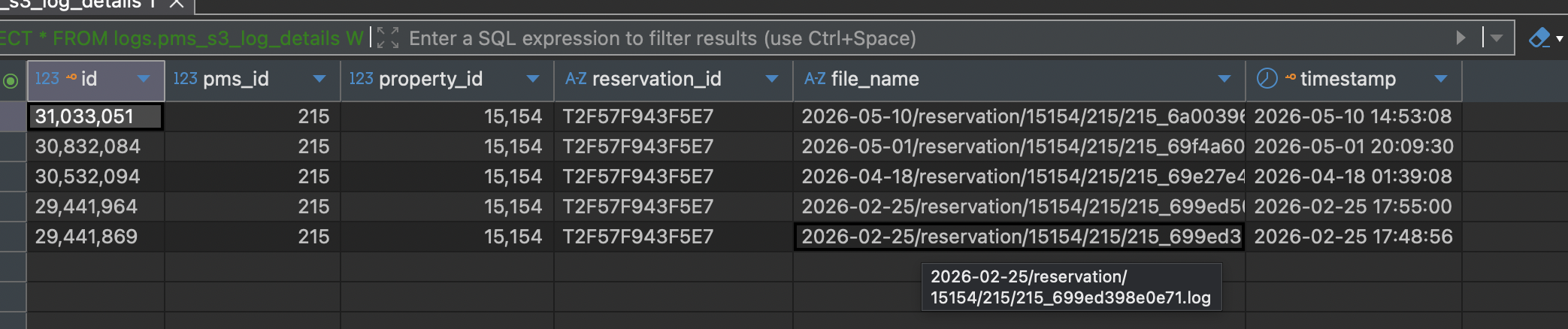
We can use the timestamp information to identify the log date that we want to investigate. So, how do we check the logs?
-
Copy the data from the
file_namecolumn. -
Then use the following URL to view the log content:
https://pms-api.bookandlink.com/common_files/readS3dFile.php?filename=[log_path] -
Replace the
filenamequery parameter with the value you copied earlier. Example:
https://pms-api.bookandlink.com/common_files/readS3dFile.php?filename=2026-05-10/reservation/15154/215/215_6a0039642dc06 -
Usually, the value copied from the
file_namecolumn contains a.logextension. Remove the.logextension before placing it into the parameter. -
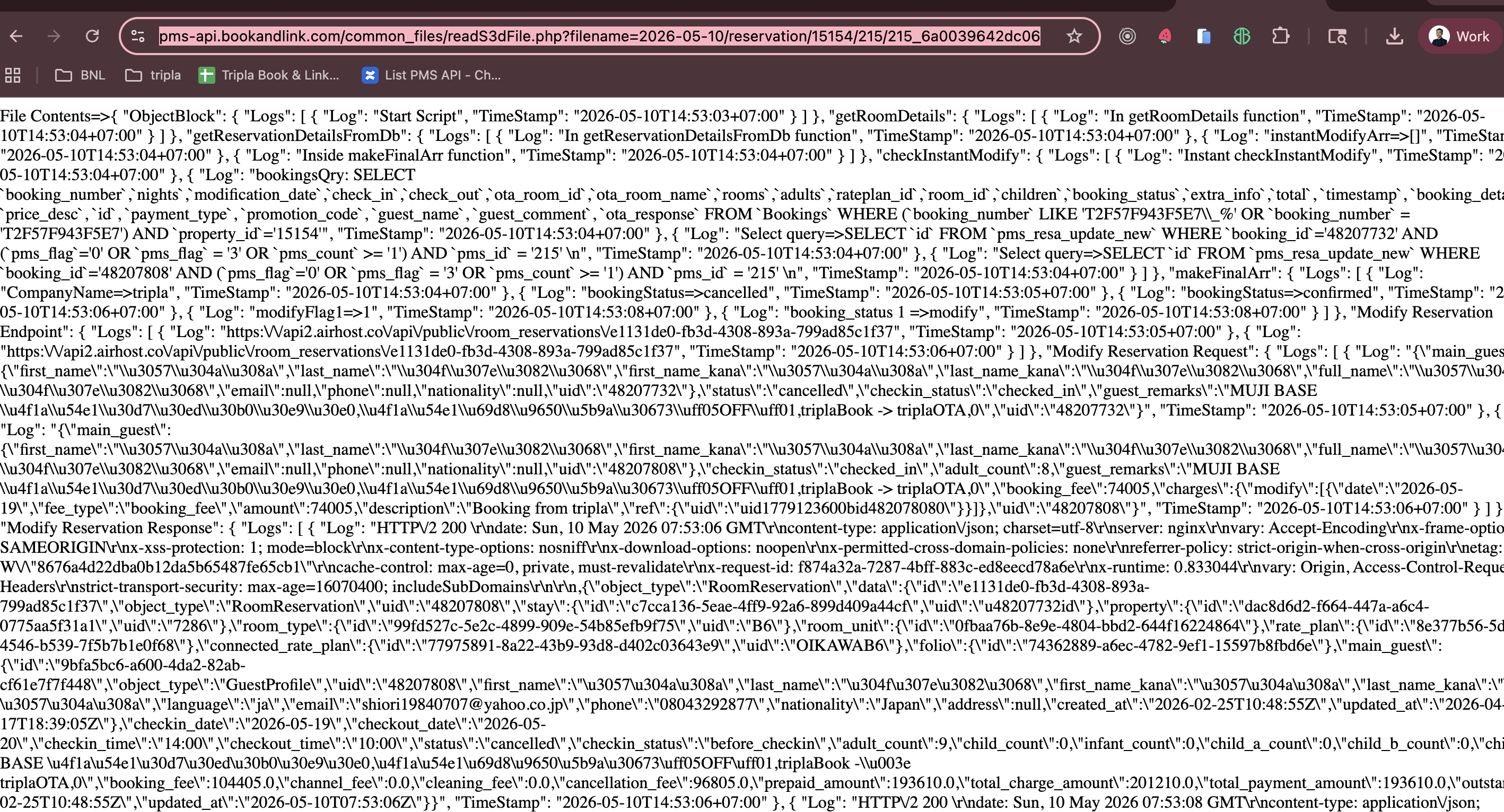
Below is the result when viewing the log data.
-
Messy, isn’t it? Beautiful, isn’t it?
-
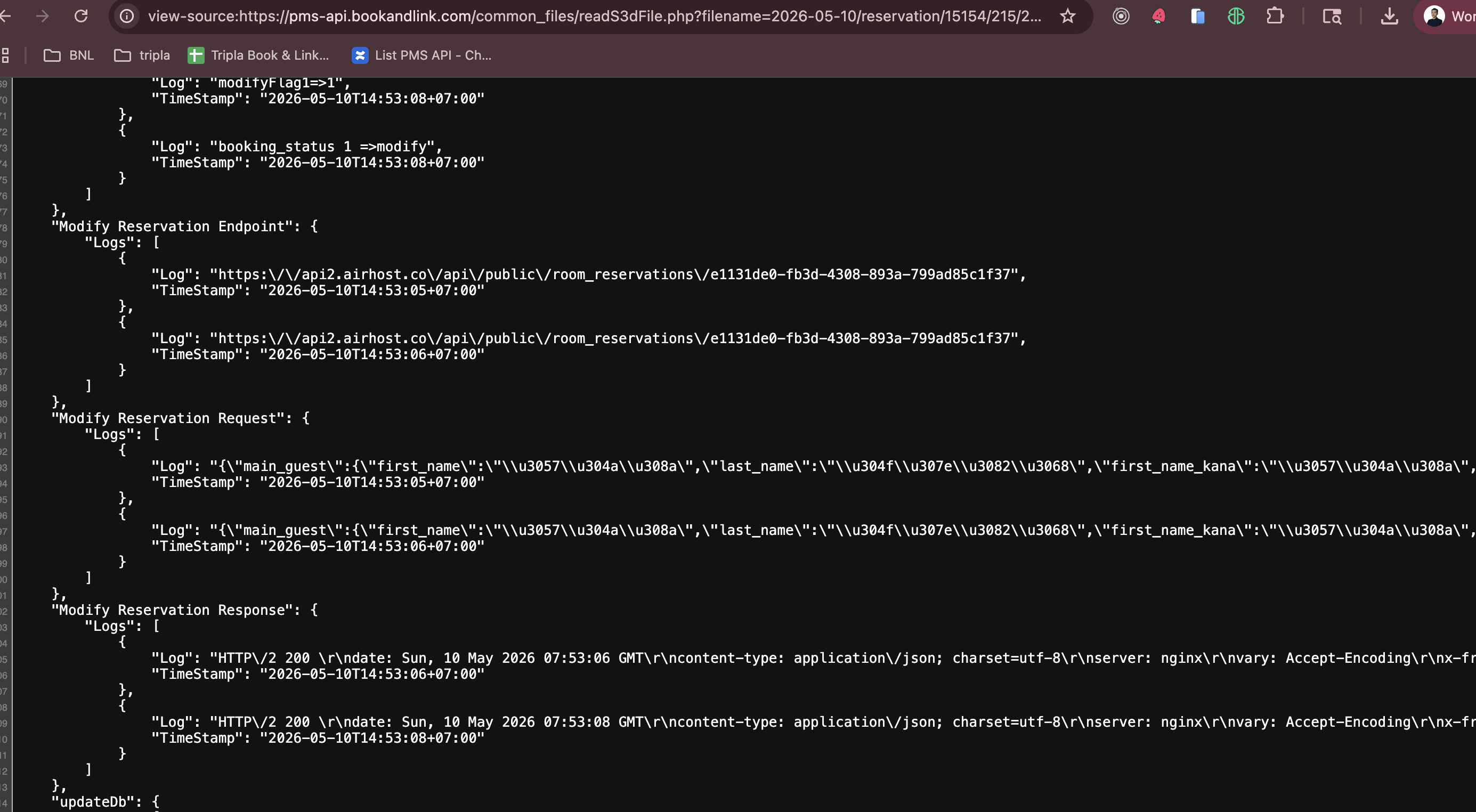
Okay, to make it easier to read, we can use the browser’s
view-sourcefeature.
Example:
view-source:https://pms-api.bookandlink.com/common_files/readS3dFile.php?filename=2026-05-10/reservation/15154/215/215_6a0039642dc06Below is the result.
-
From this, we can see more detailed information such as the endpoint being used, when the request was sent, and whether a race condition occurred or not.
With this knowledge, we can perform investigations more easily and effectively.