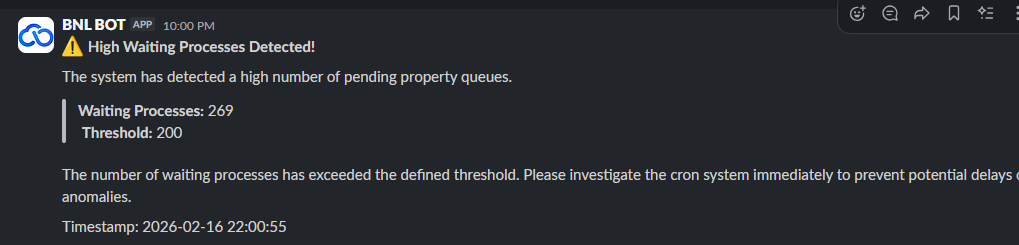
Runbook: Waiting Queue Warning [ALERT]
| Service | OTA Worker |
|---|---|
| Owner Team slack handle | @bnl-channel-integration @bnl-team-c |
| Team's Slack Channel | #bnl-critical-alerts |
Table of Contents
Important Links
| ARI Partner Sync Monitoring | https://portal.bookandlink.com/tools/sync-process |
|---|
1. triage
A. Dashboard Monitoring
Steps:
-
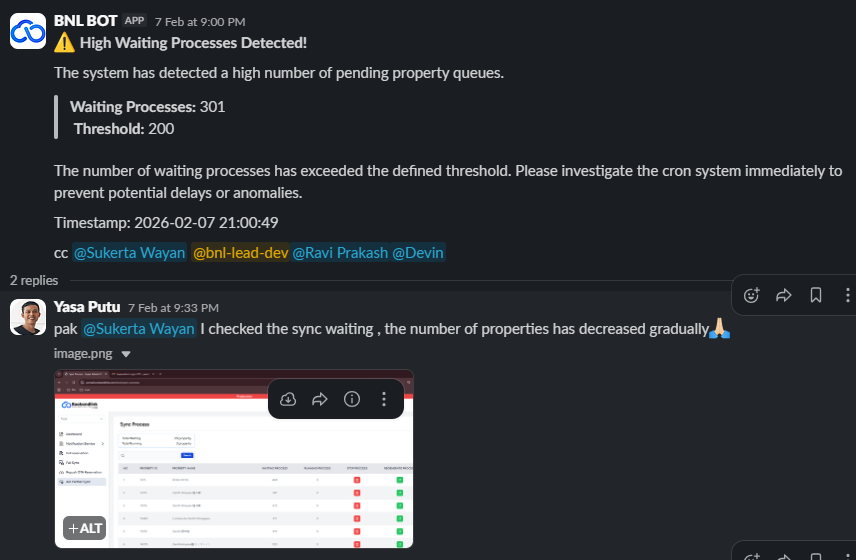
First, check the ARI Partner Sync Monitoring.
ARI Partner Sync Monitoring -
If the queue shows a significant decrease:
- Notify in the thread related to this error.
- Inform stakeholders that the queue is decreasing, which indicates the system is working, but there are too many requests.
- Ask for assistance from Mr. Sukerta or the team lead.
-
If there is no decrease, proceed to Monitoring OTA Worker Pod step
B. Monitoring OTA Worker Pod
Steps:
- If the queue keeps piling up, check the pod in Argo CD.
- If the pod is unhealthy or has issues:
- Contact the platform team immediately.
- Report the incident.
- If the pod is healthy, but the queue continues to pile up, proceed to the next internal step.
C. Next Step
Steps:
- If the queue still piles up even though the pod is healthy:
- Check related application logs to identify potential errors or bottlenecks.
- Report findings to the development or platform team.
- Ensure all relevant stakeholders receive updates on the queue status.
- Document all actions taken in the monitoring thread for audit and future issue analysis.
- If the problem persists, escalate to the manager or team lead for further action.
2. Decision Point
This section helps you decide if this is a true incident or a false alarm.
- IF the ARI Partner Sync queue shows a significant decrease and the OTA Worker Pod is healthy
- ➡️ Go to: False Alarm
- IF the ARI Partner Sync queue does not decrease, OR the OTA Worker Pod is unhealthy, OR the queue keeps piling up despite the pod being healthy…
- ➡️ Go to: True Incident
3. False Alarm
A false alarm is not a "close and ignore" event. Follow the protocol below to safely handle the alert.
Immediate Action Plan
-
Monitor the queue actively:
- Open ARI Partner Sync Monitoring: https://portal.bookandlink.com/tools/sync-process
- Confirm that the queue continues to decrease steadily.
-
Decide on alert handling:
Depending on the situation:- Keep triggered: Leave the monitor active to ensure it can alert again if the queue starts piling up.
- Adjust threshold: Raise the alert threshold temporarily so that minor fluctuations do not trigger repeated false alarms.
- Mute alert temporarily: Only if the monitor is flapping between triggered and recovered states, e.g., silence for 1 hour.
-
Communicate in Slack:
Heads up: The [ALERT_NAME] triggered but the queue is decreasing, indicating no incident. Action taken: [KEPT/TRIGGERED / THRESHOLD ADJUSTED / MUTED FOR 1 HOUR]. Monitoring will continue for any escalation.
4. True Incident
Context:
A true incident occurs when either:
- The ARI Partner Sync queue does not decrease, or
- The OTA Worker Pod is unhealthy, or
- The queue keeps piling up even though the pod is healthy.
In this case, the priority is to restore service, assess impact, communicate, and perform cleanup.
4.1 Recover the System
Step 1: Identify Root Cause
Potential Cause 1: Pod Unhealthy
Diagnostic Steps:
- Open Argo CD and check the OTA Worker Pod status: ota pod
- Confirm pod conditions:
ReadyvsCrashLoopBackOffor other errors. .
Remediation Plan:
- If pod is crashing, restart or redeploy the pod using Argo CD.
- Inform the team lead, Pak Sukerta, or the platform team