Runbook: [OTA Alert Notification Appears Multiple Times]
| Service | [Channel Manager / tripla Link v1] |
|---|---|
| Owner Team slack handle | [@bnl-team-a] |
| Team's Slack Channel | [#bnl-teams-a - https://tripla-team.slack.com/archives/C08DWH5N4CR] |
Table of Contents
Important Links
This section links to the most relevant resources for an engineer responding to this alert.
| Slack OTA Notification Link | [https://tripla-team.slack.com/archives/C09CV9CL961] |
|---|---|
| OTA Worker Logs | [https://argocd.bnlstg.com/applications/prod-ota?resource=] |
| Sync Process Portal | [https://portal.bookandlink.com/tools/sync-process] |
1. Triage
Goal: Checking this alert notification is used as initial information to determine whether there is an issue with the OTA service or not.
Step - Notification Validation
- Open Slack Apps
- Check the channel #bnl-ota-notification
- Scroll to the latest Slack messages
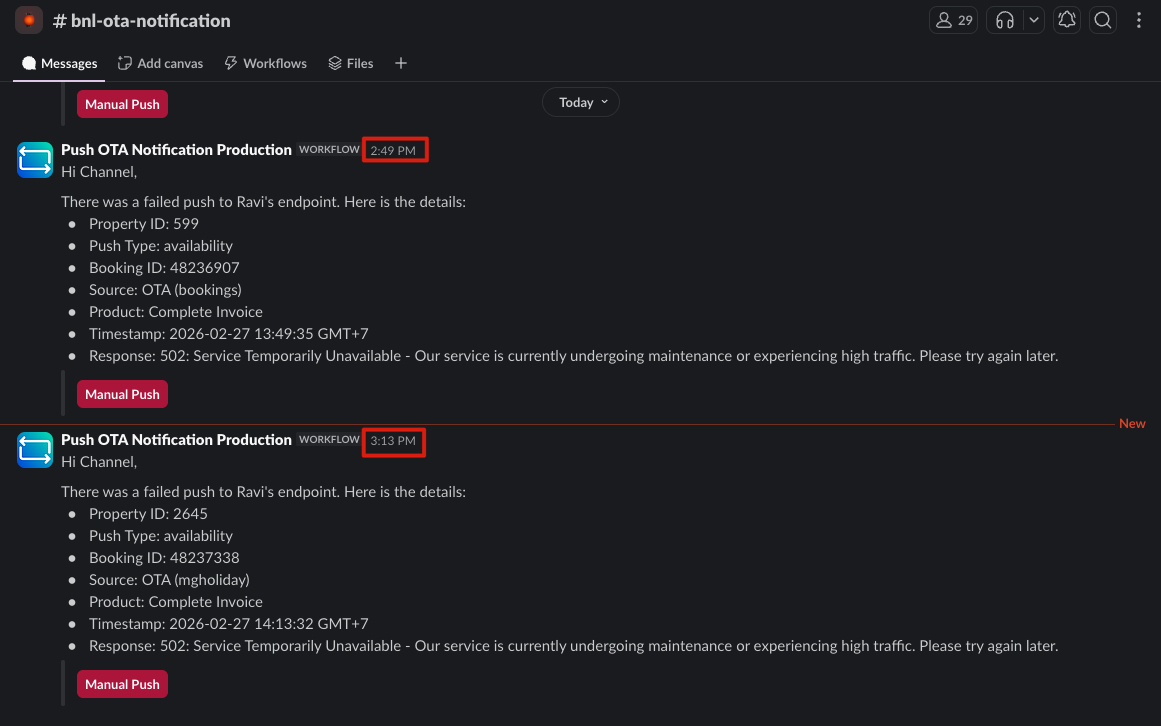
Verify whether the notifications in this channel appear more than once within a close timeframe. Below are some examples of notifications for OTA alerts.
- OTA alert notifications are not close in time. Notice the difference between the last two alerts
- OTA alert notifications are close in time.
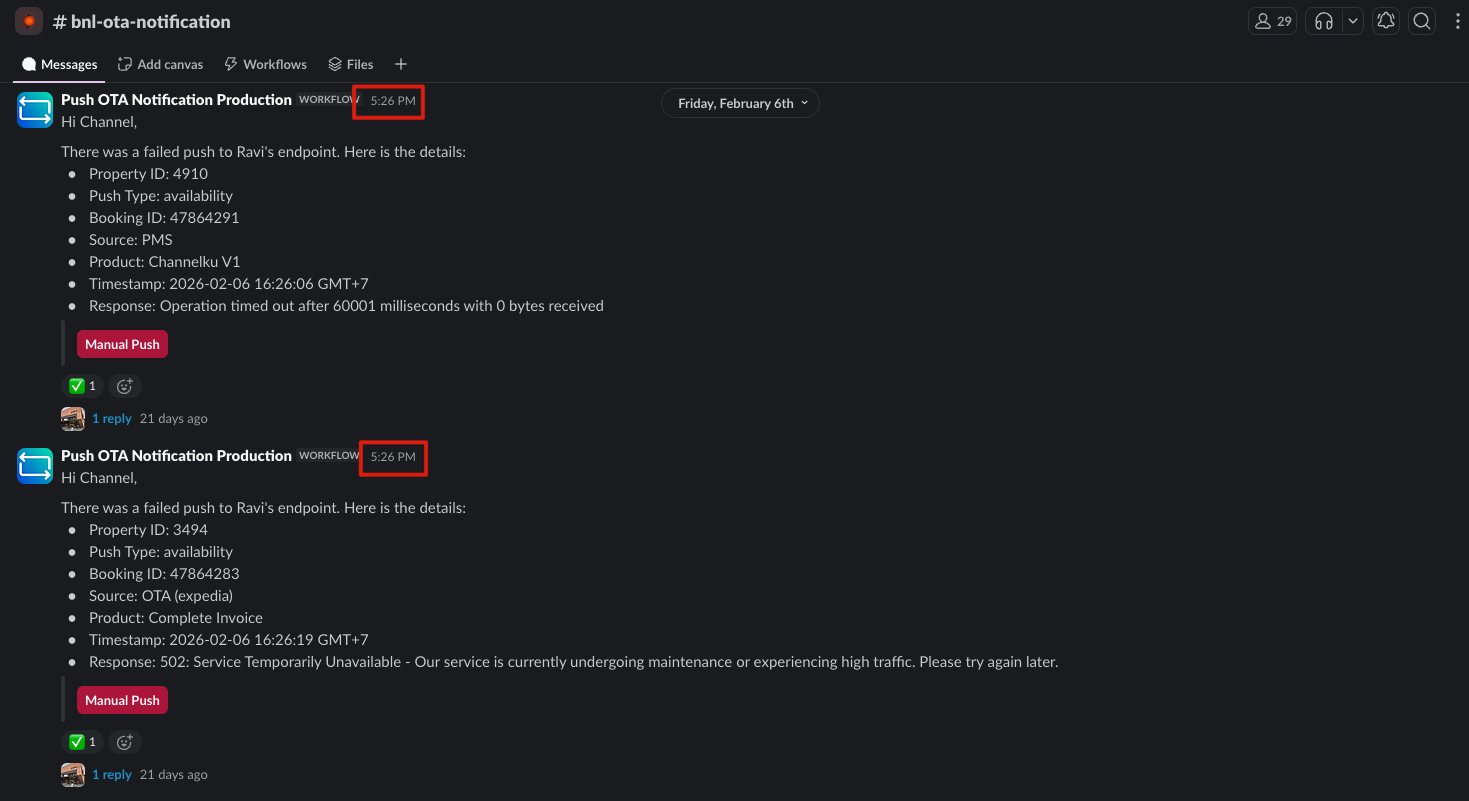
If you notice, the two notifications above are the same, but at the same time, the second image shows more than one notification (in the real case, there are more than 2 notifications)
2. Decision Point
-
IF OTA alert displays many alerts simultaneously:
- ➡️ Go to: [[#4. True Incident]]
-
IF OTA alert does not display alerts simultaneously:
- ➡️ Go to: [[#3. False Alarm]]
3. False Alarm
If:
- There is a notification on #bnl-ota-notification but not in large numbers at the same time
Then mismatch likely due to:
- Sometimes the OTA service returns error 502 or 503
Actions:
- No action is needed if this false alarm occurs
- This does not happen on all ARI pushes to the OTA Service
- Only for some pushes and will be handled by the Retry Mechanism
4. True Incident
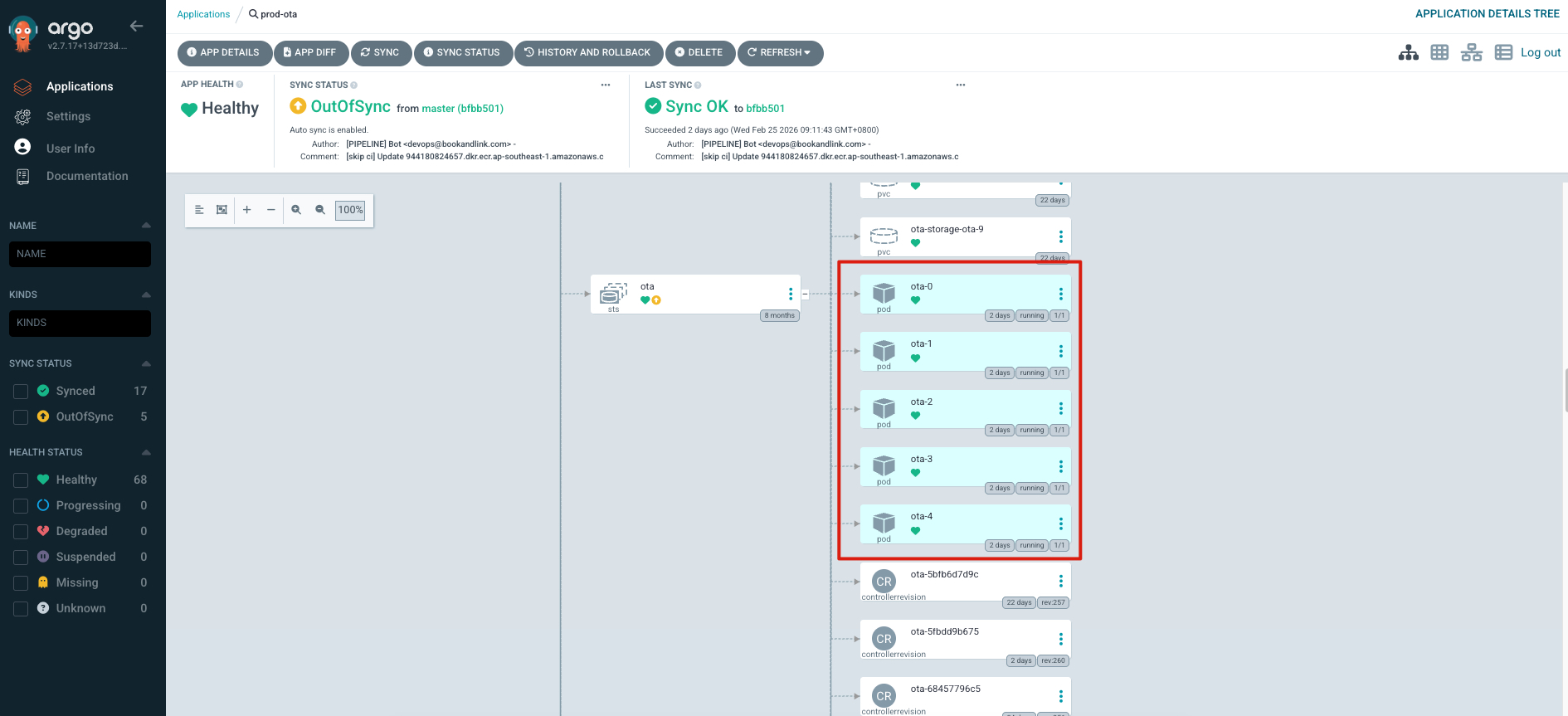
If this case occurs, what you need to do is log into Argo CD, at the link provided in the OTA Worker Logs linked above.
After that, check the POD section.
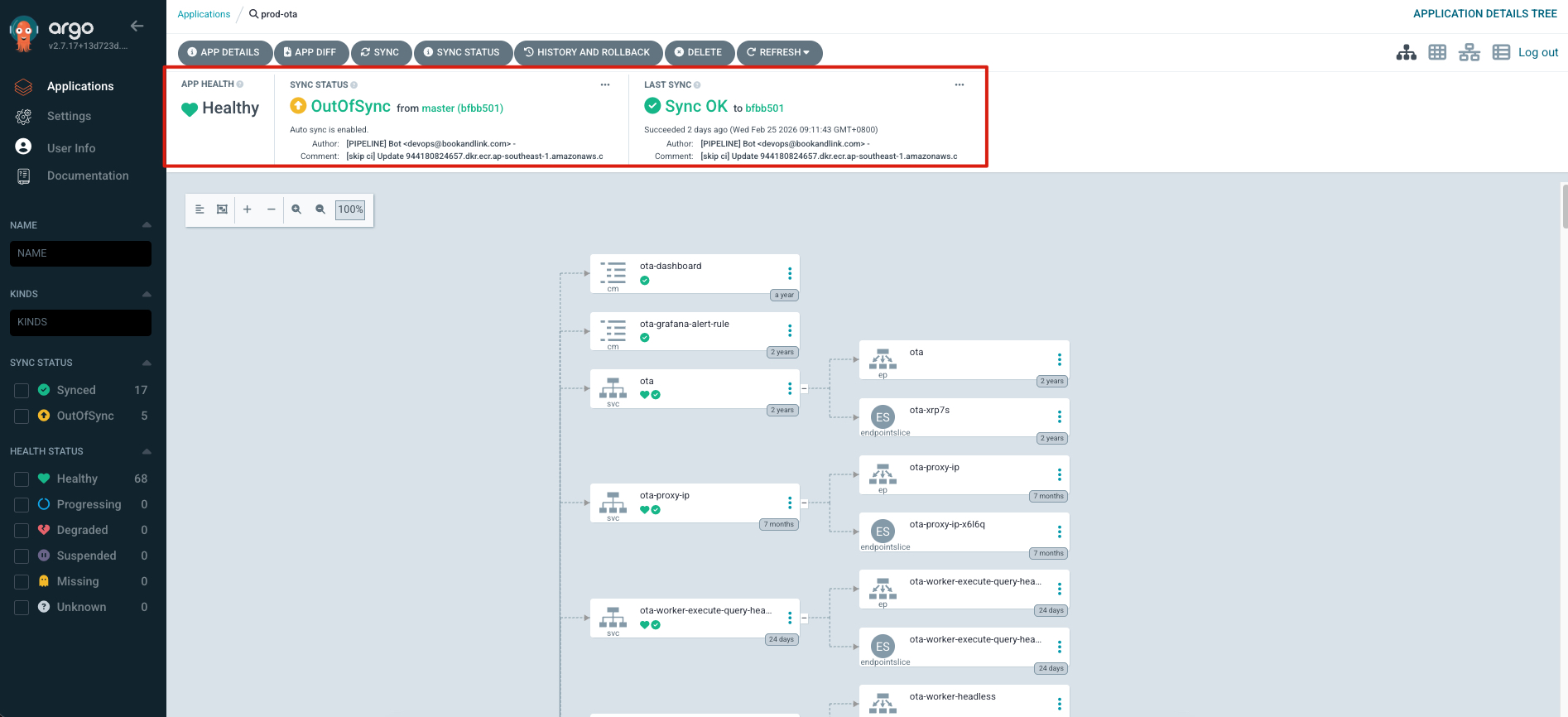
And also check the App health on the OTA service.
4.1. Recover the System
For this part, based on previous cases, it cannot be solved by the developer. Usually, there is an issue on the platform side or there is an update on the OTA service.
Make sure if you encounter this issue, you can tag @platform-on-duty, @bnl-lead-dev, @Ravi Prakash, and Mr. @Sukerta Wayan to request assistance in checking this issue.
4.2. Clean up
After the system / OTA service successfully recovers, you can check the link Sync Process Portal,normally the total waiting and running processes are below 200.
If the processes are already below 200, usually the system runs normally.